
Product design · Personal SaaS · 2026
Knotboard turns scattered inspiration into finished work.
A connected creative workspace for capturing ideas, planning meaningful work, and learning from what gets made.
- Role
- Product strategy, UX, UI, prototyping
- Platform
- Responsive web application
- Designed for
- Independent creatives and design learners
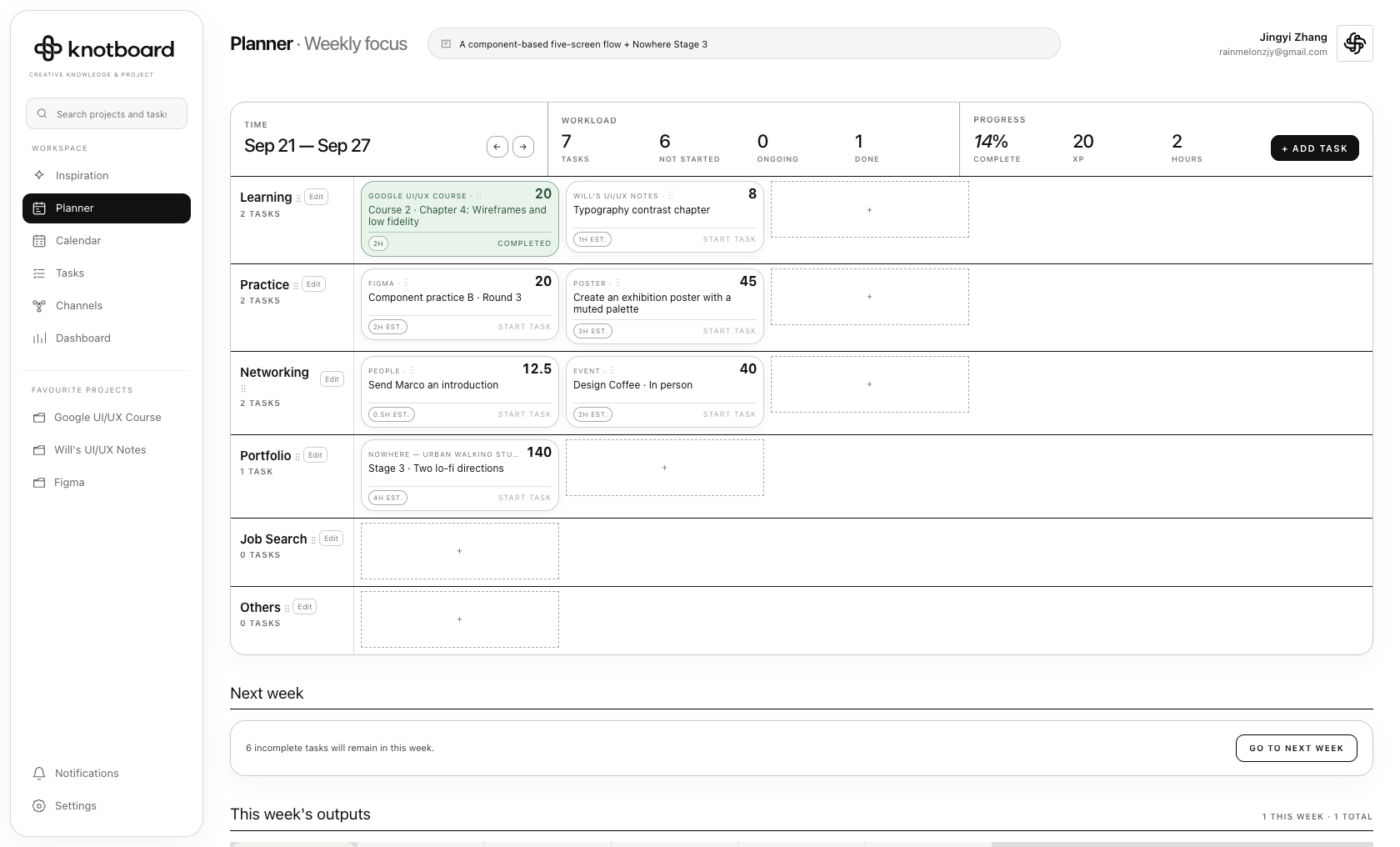
Targets for validating workflow continuity—not claims of measured results.
01 · The problem
Creative work loses context between tools.
References live in one place, tasks in another, and completed work rarely connects back to the idea that started it.
For independent creatives, this fragmentation creates a hidden tax. Every switch between bookmarks, notes, calendars, and task managers requires the user to reconstruct intent. The tools record activity, but not the thread between discovery, decision, execution, and learning.
How might a workspace preserve the meaning of an idea all the way through to a finished outcome?
02 · The system
One connected system, not another to-do list.
Knotboard organizes the creative loop into five steps: Capture → Connect → Schedule → Make → Review.
Each workspace has a distinct job, but the underlying objects stay connected. An inspiration item can become a task. A task can remain unscheduled until it is ready. When completed, its time, points, reflection, and optional deliverables roll back into the project and dashboard.
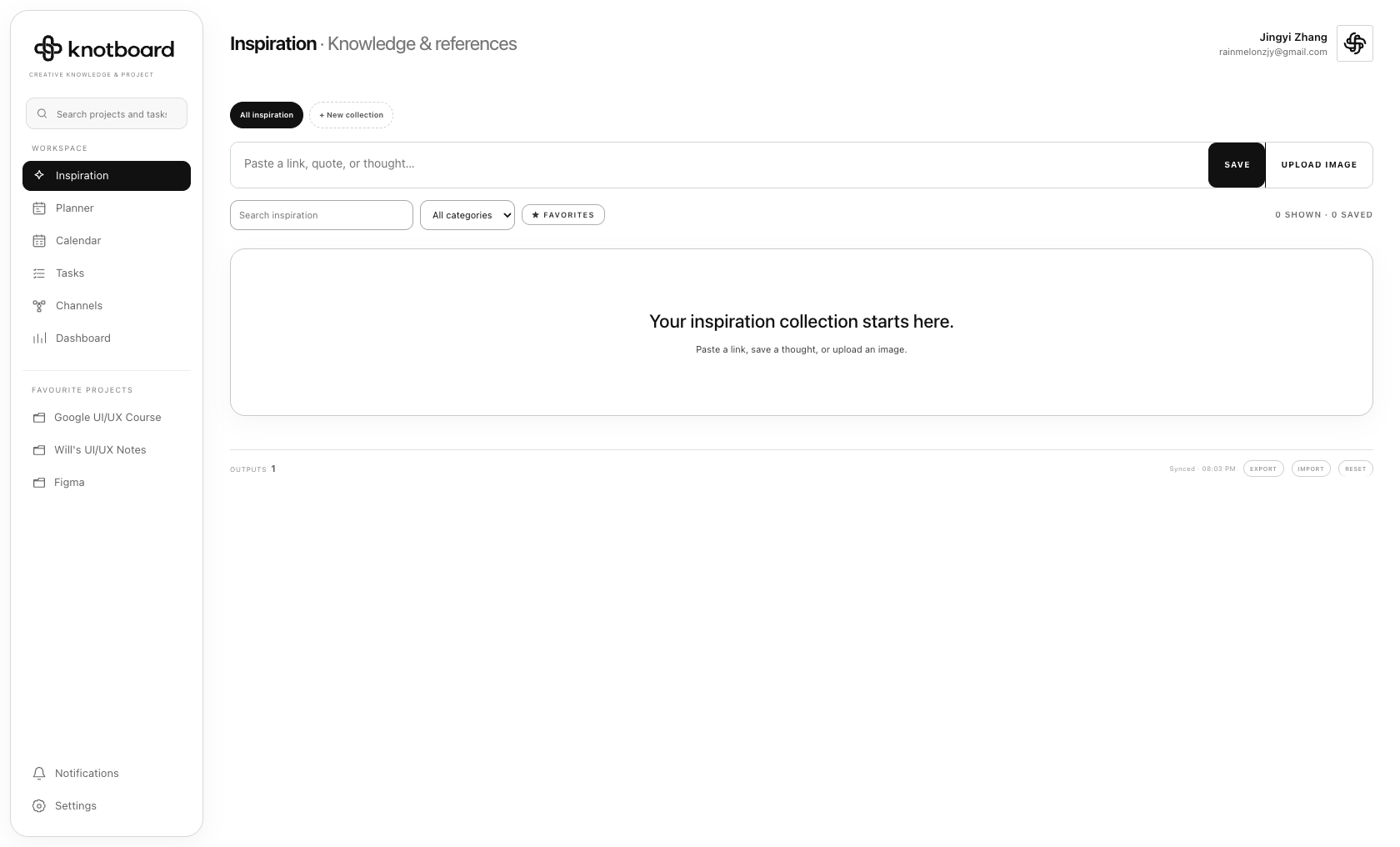
Inspiration
Capture links, images, and notes without losing their source or intent.
Planner
Turn priorities into a realistic weekly workload.
Calendar
Schedule dated work while flexible tasks remain in Backlog.
Tasks
Use one task record across Today, projects, and channels.
Projects
Keep context, tasks, references, and optional deliverables together.
Dashboard
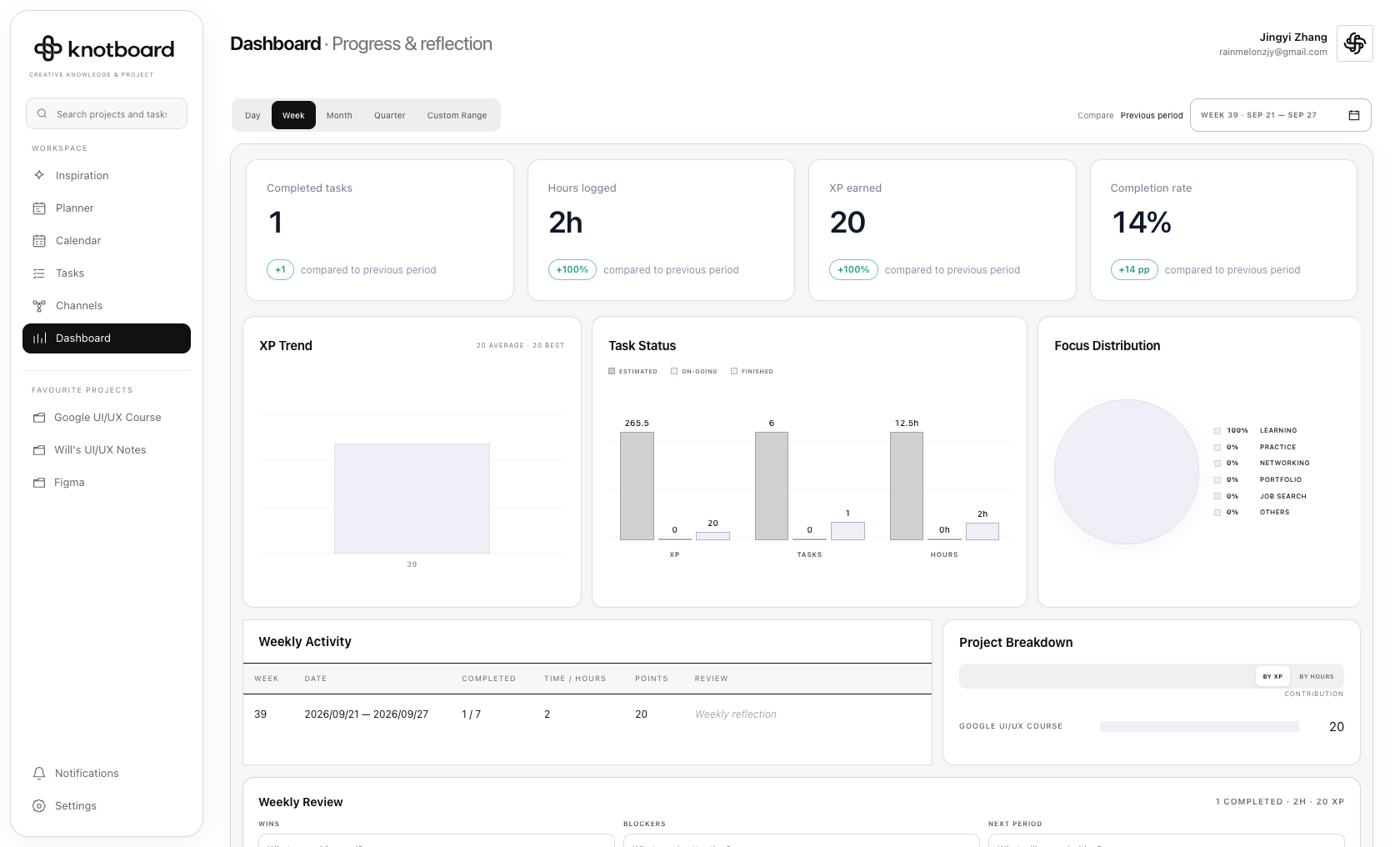
Review output, time, points, and qualitative reflections.
03 · Key decisions
Flexibility is part of the data model.
Dates are optional
Unscheduled work goes to Backlog and can be placed on the calendar later.
Deliverables are optional
Finishing a task never depends on uploading a file or link.
Tasks have one source of truth
Planner, Calendar, Tasks, and Projects show the same underlying record.
Metrics need context
Quantitative progress is paired with reflection instead of treated as productivity theater.
04 · Validation and outcome
Measure continuity, not busyness.
The first release is designed to test whether connecting the workflow reduces context switching and improves follow-through.
Idea-to-action conversion
Track how often captured inspiration becomes a project or task, and how quickly that happens.
Plan reliability
Compare planned work with completed work while keeping unscheduled tasks visible and recoverable.
Review participation
Measure review completion alongside the usefulness of written reflections—not points alone.
What I would build next
- 01Universal search
Find any inspiration, task, project, or deliverable from one command surface.
- 02Reusable project templates
Start recurring creative workflows without rebuilding their structure.
- 03Guided weekly insights
Turn activity patterns into prompts for a more useful, less mechanical review.